

Be in the meeting.
Not taking notes.
Jeronimo makes a written record of your calls on your Mac, so you can pay attention to the people in them.
It offers.
You decide.
When a call begins, Jeronimo offers to record it. Choose Record or dismiss the offer. You can also choose Always Record for a particular app in Settings.
You can start a recording from Jeronimo’s menu or a shortcut you assign.
Works with Zoom, Microsoft Teams, FaceTime, and Google Meet in Chrome, Safari, or Arc.
Jeronimo also notices calls in other apps that use your microphone.
How to record a call
The recording offer in Jeronimo.
A useful record, ready for you.
The transcript and summary are made on your Mac. Nothing joins the call.
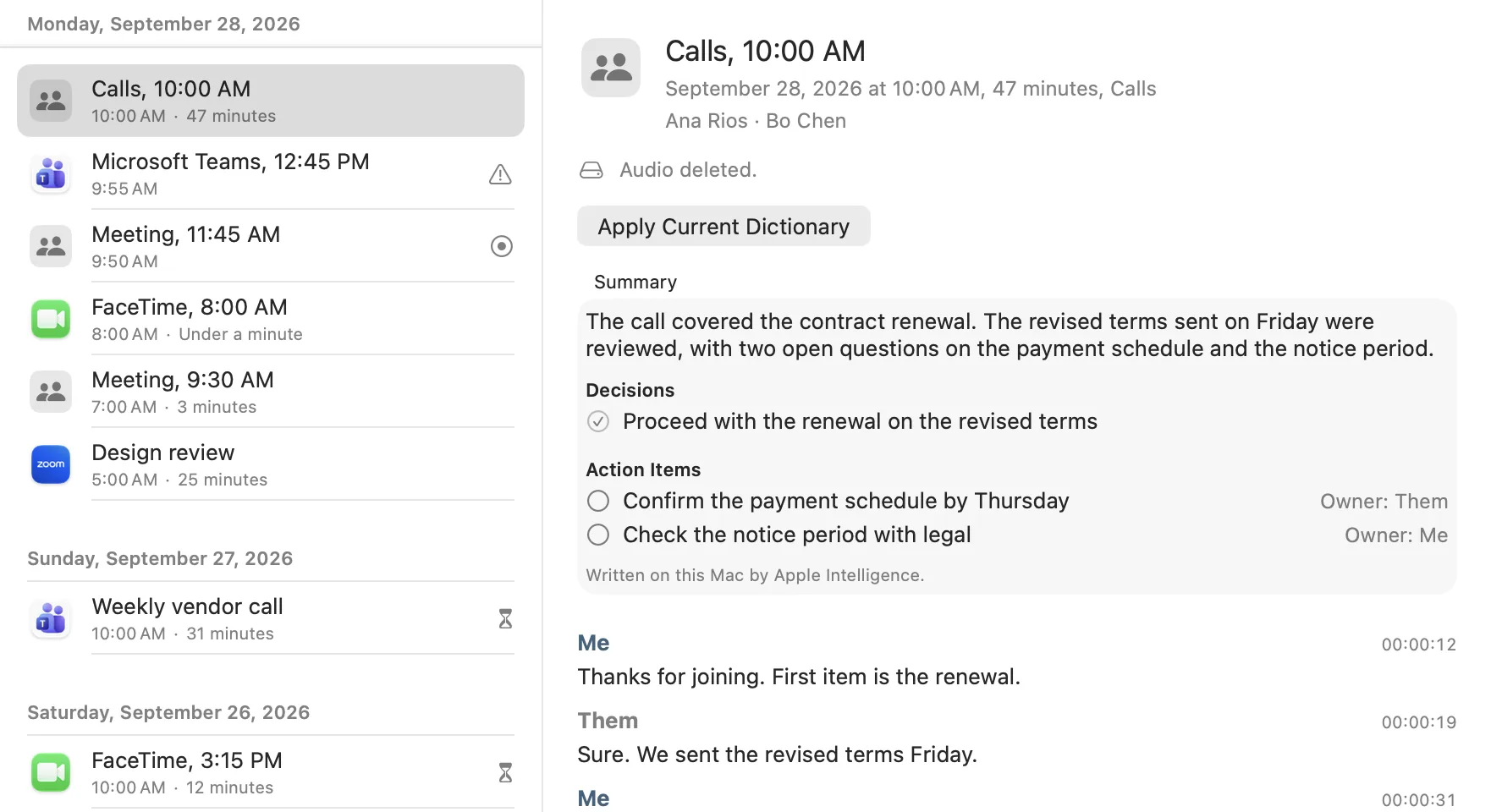
Summary
The call covered the contract renewal. The revised terms sent on Friday were reviewed, with two open questions on the payment schedule and the notice period.
Decision
✓ Proceed with the renewal on the revised terms
Next steps
○ Confirm the payment schedule by Thursday
○ Check the notice period with legal
Thanks for joining. First item is the renewal.
ThemSure. We sent the revised terms Friday.
Both sides, written down.
Read your side and theirs, marked Me and Them, with timestamps. Jeronimo does not identify individual people on the other side. It can name meetings from your calendar if you choose.
Decisions and next steps.
With Apple Intelligence on and enough speech in the call, Jeronimo adds a short summary with decisions and action items.
Take what you need.
Copy the whole transcript and summary, or select and copy a passage. You can edit the meeting title and listen while the recording is still available.
The recording does not linger.
Audio stays on the Mac that recorded it. It is deleted two hours after the transcript and summary are complete, and never kept more than 24 hours. You can delete it sooner.
Ask Claude, if you choose.
Turn on the connection and choose which transcripts Claude can read while Jeronimo is open. Mark any meeting Don’t Share with Connected Apps. Audio is never shared.
How to connect Claude Read the privacy detailsLet everyone know.
Jeronimo can copy a short recording notice for you to paste into the call chat. Nothing is sent automatically. Recording rules vary by place.
Stay in the conversation.
Jeronimo will take care of the notes you ask it to take.
Download JeronimoApple silicon Mac, macOS 26 or later.